


Empowers Legal Intelligence in Microsoft 365
Epona revolutionizes legal team operations by combining AI-powered document and case management, Microsoft 365 integration, and advanced knowledge tools. This synergy promotes smarter collaboration, quicker decisions, and enhanced compliance.
Epona’s solutions help law firms and corporate legal departments maximize their data, documents, and expertise efficiently and securely.
Or request your personal demo
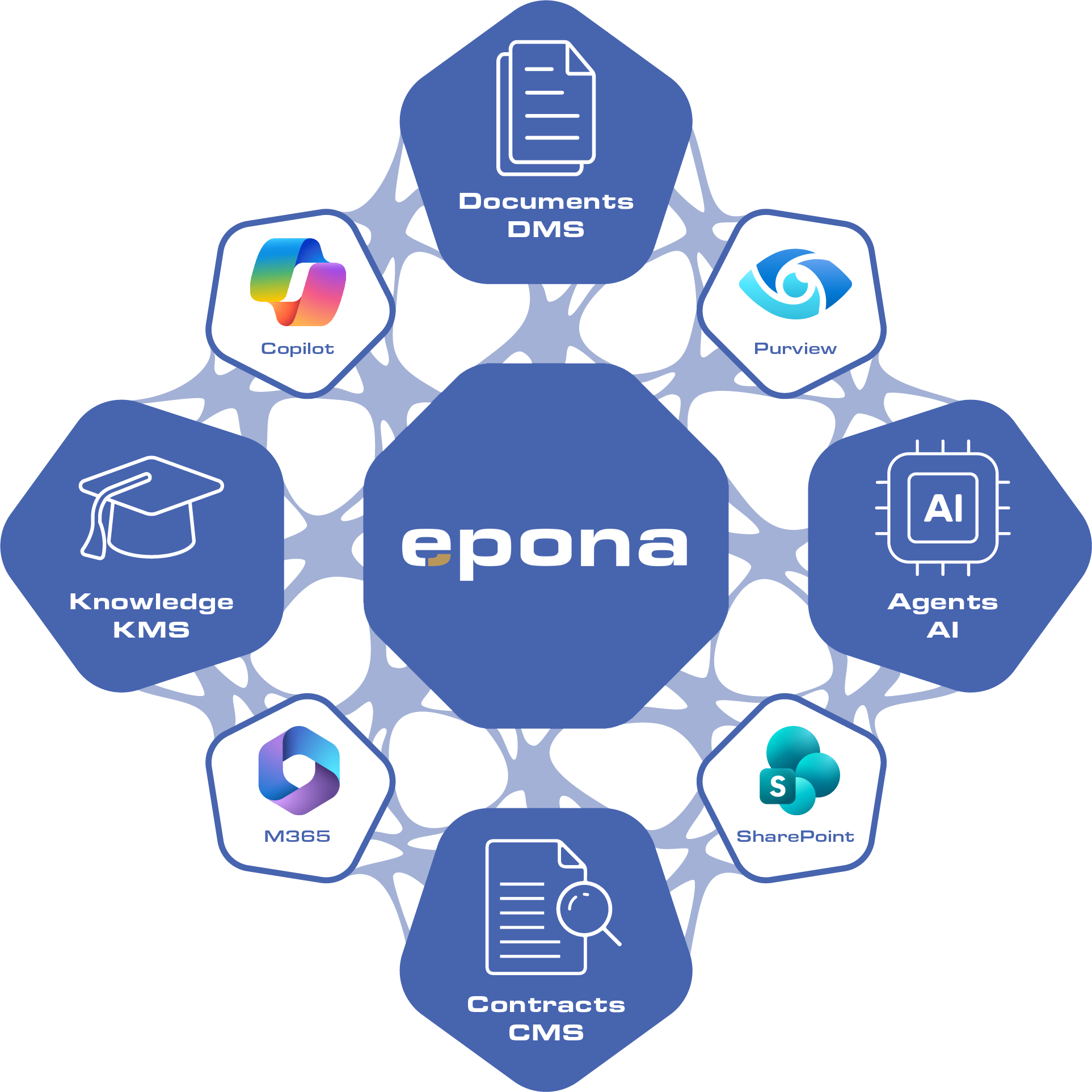
Why choose Epona?
Built on Your
Microsoft 365
Faster User
Adoption
Microsoft Security and Governance
Lower Total Cost
of Ownership
ISO 27001 Certified
Why choose Epona?
Microsoft integration
Built on the Microsoft 365 platform, fully integrated with Microsoft Office, Adobe, Draftable, and most third Party Financial Practice Management Systems, you cannot find a more flexible or integrated solution for legal teams.
Dedicated Service
From our Support Team to our Consultants, every Epona Team member is committed to providing our customers with a world class experience.
User-Friendly Experience
Effortlessly navigate workspaces that contain all your documents and emails with Epona’s easy-to-use software.
Avoid double expenses
If you are using Microsoft 365 without Epona, you are likely spending more money than necessary. With Epona, Microsoft 365 becomes the single platform for all your document, contract and email management, which saves time and removes extra licensing costs.
Our Legal Software
Tailored to your needs
Case Management
Digitize your case and document management with our advanced case management system, Advosys. Automate the processes in your law firm, legal department or member organization and increase efficiency.
Document Management
Epona365 serves as your all-encompassing solution for document and email management. It’s crafted on the foundation of Microsoft 365 and SharePoint, tailored specifically for lawyers and in-house counsel.
Knowledge Management

Tailored to your needs as a legal professional
Our advanced solutions are the software equivalent of custom-made clothing for the legal professional. Perfect bespoke fitting, tailored for a precision fit. Epona365 paired with Microsoft Tools [Planner, Workflows, BI, and more] provide you with capabilities you need as a legal professional while meeting all your compliance requirements. Whether you’re at the office, traveling, or in court, our Microsoft‑integrated software, carefully configured to match your needs, ensures you always have the tools you rely on.
Empowering Legal Teams
with Microsoft AI and Copilot
Epona is proud to be a trusted Microsoft Legaltech solutions provider, delivering cutting-edge document management capabilities tailored for legal professionals. Leveraging the full power of Microsoft AI and Copilot, Epona transforms how law firms and legal departments manage, access, and interact with their matter-related data.
AI-Powered Legal Document Management
Epona’s solution integrates seamlessly with Microsoft 365, offering a robust legal document management system that uses AI for:
- Auto-Profiling: Automatically categorize and tag legal documents based on content, context, and relevance—saving time and reducing errors.
- AI Prompting on Curated Content: Users can interact with selected and curated documents using natural language prompts, enabling faster insights, summaries, and drafting support.
Built for Microsoft 365 Users
If your firm already uses Microsoft 365, Epona is the most efficient and cost-effective solution for managing all your matter-related data. Our platform ensures:
- Seamless integration with your existing Microsoft environment.
- Enhanced productivity through AI-driven workflows.
- Secure and compliant document handling tailored to legal standards.
Unlock the Power of AI for Legal Work
Epona gives legal professionals the AI power they need to work smarter, faster, and with greater confidence. From document profiling to intelligent search and drafting, our solution is designed to elevate your legal operations.

7 checks before scaling AI across legal work
Discover seven practical checks to assess your AI readiness and gain a clear framework for evaluating whether your document environment is prepared to support AI safely and at scale.
This pages guide also includes a practical DMS, Compliance & AI Checklist that can be used during evaluations, governance workshops and internal readiness reviews.
Find & Manage your way to success
Don’t get lost. At Epona, we understand your daily hurdles: scattered or disorganized information, elusive documents, and constantly navigating between different applications. Our solutions are designed with you in mind, giving you seamless access to all your documents, e-mails and more, anytime and anywhere. Given the sensitive nature of your work, security and productivity standards are always maintained. With Epona and Microsoft, you can easily tailor your work experience to suit your own preferences, leveraging familiar tools from Microsoft Office to Microsoft Teams , to access work product from any location with any device.
News

You already own the foundation to build your legal and AI tools
- AI, Knowledge

Legal AI Advantage Starts With Trusted Knowledge
- AI, Inside Legal Platforms, Knowledge, Tech

What a Legal KMS Should Do in 2027
- AI, Knowledge, Tech

Your Firm Already Has the Knowledge. The Problem Is Knowing What to Trust.
- AI, Knowledge, Tech
Copilot Is the Ambition. Purview Is Part of the Reality Check.
- AI, Knowledge, Tech

Connected to Microsoft Is Not the Same as Built on Microsoft
- Knowledge, Tech

DMS Selection Cheat Sheet
- Knowledge, Tech
Do Law Firms Still Need a DMS in the Age of Copilot?
- AI, Inside Legal Platforms, Knowledge, Tech

Google brings Gemini into legal. The AI headline is only half the story.
- AI, Inside Legal Platforms, Knowledge
Why I keep saying things that make people angry
- AI, Inside Legal Platforms, Knowledge

About Us
Our story? It begins with a small, brave group from the Netherlands that has since positioned itself as a European leader in the industry. While we may not be the biggest, we are certainly the most driven. For us, Epona is a playground where we unleash our creativity and continue to innovate to stay ahead.

Strategic Planners, not Wishful-Thinkers
At Epona, we don’t develop our solutions simply because it might be a cool idea or Microsoft marketing says this new gadgetry is the next big thing. We develop with a strategic and thoughtful approach. We lead with innovative ideas, many of which are customer driven, collaborating closely with both our clients and Microsoft to enhance our software as the demands and requirements of the legal profession continue to evolve. With Epona, you benefit from exceptional software and an attentive team of professional developers, consultants, trainers and technicians who are dedicated to helping you work smarter and more efficiently.
Frequently asked questions about legal DMS & KMS
When selecting a document management system for a law firm or corporate legal team, the most important factors are security, usability, and integration with existing tools.
Legal teams handle large volumes of sensitive documents—contracts, case files, and client communications—that must be stored securely, easily retrieved, and fully auditable. A legal DMS should therefore provide:
- Role-based access controls and encryption for confidential data
- Matter-centric organization for documents and emails
- Fast and intuitive search across all content
- Version control and full audit trails
Modern legal teams also look for integration with Microsoft 365, Outlook, and Teams, so lawyers can work directly in the tools they already use—driving adoption and reducing friction in daily workflows.
Law firms ensure document security and compliance by choosing a DMS with advanced permissions, auditability, and data governance controls.
Legal documents often contain highly sensitive client data. Without proper controls, firms risk data breaches, compliance violations, and loss of client trust. A secure legal DMS should include:
- Granular access rights (per matter, document, or user role)
- Audit trails showing who accessed, edited, or shared documents
- Data encryption and secure cloud hosting
- Compliance support for regulations like GDPR
Additionally, modern systems use AI to monitor access, detect risks, and enforce governance policies automatically, helping firms stay compliant while reducing manual effort.
A document management system improves productivity by making documents instantly searchable, structured, and accessible across the firm.
Lawyers often lose hours searching for documents or recreating work that already exists. A modern legal DMS solves this with:
- Full-text search and metadata-driven search
- AI-powered semantic search that understands context
- Centralized storage linked to clients and matters
Instead of navigating folders or email chains, legal professionals can find relevant documents in seconds, reducing non-billable time and improving overall efficiency.
A document management system (DMS) and a knowledge management system (KMS) serve different but complementary purposes.
- A DMS answers: “Where is this document?”
- A KMS answers: “What do we know about this topic?”
While a DMS organizes and stores documents with metadata, version control, and access management, a KMS focuses on curating, validating, and reusing knowledge such as precedents, templates, and best practices.
A KMS enables:
- Faster access to proven legal knowledge
- Reduced duplication of work
- More consistent legal advice and documentation
To be ready for AI and Copilot, a document management system must provide clean data, structured metadata, and strong governance.
AI systems rely on the quality and structure of underlying data. Without proper organization, permissions, and classification, AI outputs become unreliable (“garbage in, garbage out”). [epona.com]
An AI-ready DMS should include:
- Structured metadata and automated document classification
- Clear permissions and access control models
- Integration with AI tools such as Microsoft Copilot
- The ability to explain and trace AI-generated insights
A modern legal DMS integrates directly with Microsoft 365 to allow lawyers to manage documents and emails within their existing workflow.
Instead of switching systems, legal professionals can:
- File emails from Outlook directly to matters
- Open and edit documents in Word or Teams
- Collaborate securely across departments and external parties
Integration is also critical with broader systems such as billing, case management, and CRM tools, ensuring that documents move with the matter across the entire lifecycle.